Deep Checkup: how to send a read-only invite
The Deep Checkup looks at real data in your Google accounts. You never give us a password — just add our email [email protected] as a view-only user in the three Google tools below. About 2 minutes each.
We deliver the report within 24 hours of the invite. Once you have it, remove our email (see the last section). Usually that is after 1 day.
1. Google Analytics (visitors and sources)
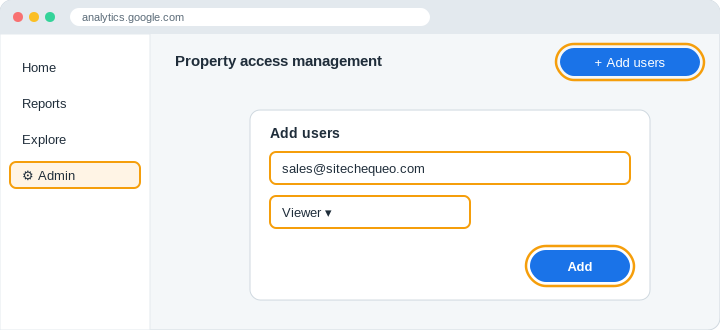
- Open analytics.google.com and select your site.
- Click the gear icon Admin at the bottom left.
- Under Property, click Property access management.
- Click the blue + at the top right, then Add users.
- Enter
[email protected], choose the role Viewer, and click Add.
2. Google Search Console (search terms, site errors)
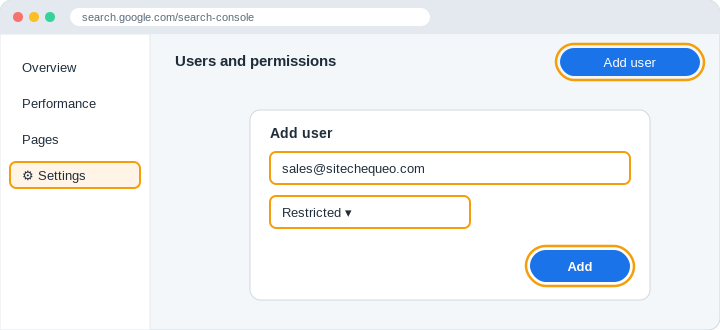
- Open search.google.com/search-console and select your site.
- Click Settings at the bottom left, then Users and permissions.
- Click Add user.
- Enter
[email protected], choose Restricted, and click Add.
3. Google Ads (ad spend)
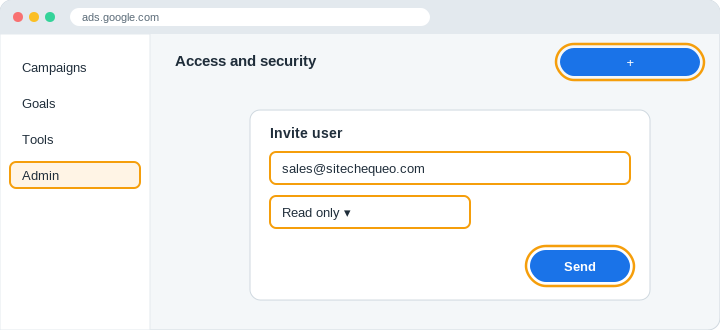
- Open ads.google.com and go to your ad account.
- Click Admin on the left, then Access and security.
- Click the blue +.
- Choose access level Read only, enter
[email protected], and click Send invitation.
If you use AdSense (ad income on your site)
AdSense has no view-only access — even the lowest level can change settings that affect your ad income — so we do not ask for AdSense access. If you would like us to look at it, email 3 screenshots to [email protected]:
- Reports, last 90 days: earnings, page views, click-through rate, page RPM
- Earnings by page
- Policy center (any violation warnings)
After you get the report: removing our access
- Analytics: go back to Property access management, click ⋮ next to our email, choose Remove access.
- Search Console: go back to Users and permissions, click ⋮ next to our email, choose Remove access.
- Google Ads: go back to Access and security, tick our email, click Remove.
Questions? Email [email protected].